Self-hosted · Ruby on Rails · Postgres

Your paperwork, searchable, on your own server.

ZeroPaper turns scans, PDFs, photos and office files into a library you can search and ask questions about. AI fills in the details when you want it to, and documents you mark private never leave your machine.

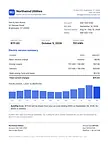
A September electric bill open in ZeroPaper: the PDF and its extracted text side by side, with the title, date, correspondent, type, tags and summary proposed by AI.

Everything a paper archive needs

Drop files in, and ZeroPaper reads them, files them and makes them findable. Every detail can be edited, and every step can run without a hosted AI.

OCR that fits your setup

Read scans and photos with a vision model or Mistral Document OCR, or locally with Tesseract or Docling. Scans also get a searchable PDF.

AI-proposed details

A title, date, correspondent, document type, tags and summary for each document. Choose whether AI may create new types and tags.

Hybrid search

Postgres full-text search plus embeddings computed on your machine. Dates, correspondents, types and #tags in a search become filters.

Research

Ask questions across many documents. Answers show their progress, cite the documents they used and are saved to continue later.

Side-by-side viewer

See the PDF, the extracted text or both, with the text following the page you are on.

Review inbox

Low-confidence details, possible duplicates, blank pages and processing errors, each with its own fix.

Rules

When the text, filename or source matches, set the correspondent and type, add tags or mark the document private.

Page cleanup

Pages scanned upside down or sideways are turned upright, and blank sheets and print bleed-through are found and offered for removal.

Import anything

Upload files or whole folders with progress, or let a scanner save into a watched folder.

Tidy up

ZeroPaper suggests similar correspondents, types and tags (plurals, spelling, meaning) and merges them, moving their documents and rules.

Encrypted backups

Back up the whole library as one encrypted file, on demand or on a schedule to a folder such as a NAS share.

Any AI provider, or none

OpenAI, Anthropic, Gemini, Mistral, OpenRouter, DeepSeek, xAI, Ollama or any OpenAI-compatible API, chosen per task. Or turn AI off.

Ask your archive

Research searches the library, reads the documents that matter and answers with numbered citations you can open.

  • Shows each step while it works
  • Adds up amounts and shows the sum
  • Conversations are saved to pick up later

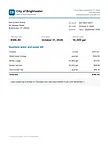
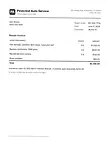
Animated example of Research. The question “What did the hail damage cost us in the end?” is researched in five steps: two searches, reading the repair invoice and the claim settlement, and adding up the amounts. The answer: the repair at Pinecrest Auto Service came to $2,340.00, Harbor Mutual paid $2,090.00 after the $250 deductible, so the hail cost $250.00 out of pocket and the claim did not affect the safe-driver discount. It cites the repair invoice and the claim settlement letter, and notes that one private checking statement also matched but was not shown to the AI.

Search that understands you

Write “insurance from Harbor Mutual 2026” and the correspondent and dates become filters, worked out locally. Keywords and meaning are ranked together.

Animated example of search. Typing “insurance from Harbor Mutual 2026” turns “from Harbor Mutual” into the Correspondent filter Harbor Mutual Insurance and “2026” into dates from January 1 to December 31, 2026, leaving “insurance” as the search words. Three results appear: Homeowners policy 2026–2027, Auto policy renewal Oct 2026 and Hail damage claim settlement.

An inbox for what needs a look

Uncertain details, possible duplicates and blank pages collect in one place, each with its own fix: looks good, compare side by side, or review the pages.

Animated example of the review inbox with 9 documents that need a look, each with its own fix: Corner Market groceries with low-confidence details and Looks good; Electric bill September 2026, a possible duplicate, with Compare and Not a duplicate; Summit Fiber internet offer, a new document; Homeowners policy 2026–2027 with blank pages found and Review pages; Checkup reminder Nov 12; Greenleaf Hardware drill and paint; Water & sewer bill Q3 2026, a possible duplicate; Auto policy renewal Oct 2026; and Hail damage repair invoice. One by one, five are marked Looks good or Not a duplicate and leave the inbox, and four remain.

File documents automatically

Rules match on document text, filename or source and run on your machine before anything is sent out.

A rule named “Bluefin statements stay private”, turned on. When all conditions match, document text contains “Bluefin Credit Union”. Then it sets the correspondent to Bluefin Credit Union, sets the type to Bank Statement, adds the tag bank and marks the document private.

Private

Private documents never leave your machine

Mark a document private and it is read and filed on your machine. Its file, text and details are never sent to an AI provider.

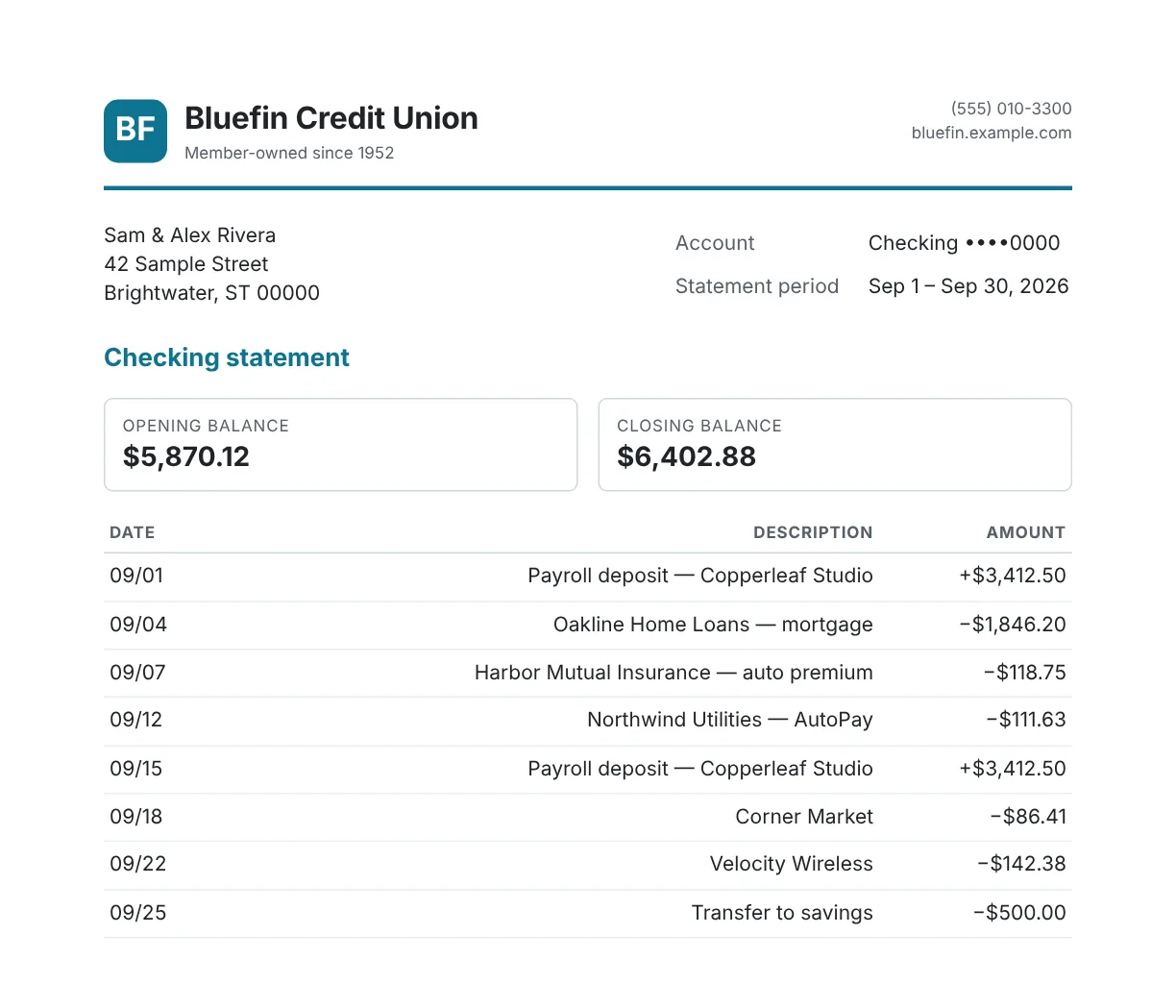
A checking statement marked private, open in the document viewer on page 1 of 2. The page shows the Bluefin Credit Union letterhead, Sam and Alex Rivera at 42 Sample Street, Brightwater ST 00000, checking account ending 0000 for September 1 to 30, 2026, an opening balance of $5,870.12, a closing balance of $6,402.88 and the month’s transactions. The details panel shows the title Checking statement September 2026, the date Sep 30, 2026, the type Bank Statement, the correspondent Bluefin Credit Union and the tag bank.

Quick start

ZeroPaper runs with Docker Compose on a home server, a NAS or any Linux machine, with images for amd64 and arm64.

Once it's up, open it in your browser and the setup wizard creates your account and asks how documents should be read.

Setup guide

The guide also covers configuration, HTTPS behind a proxy and deploying with Kamal.

Terminal
git clone https://github.com/jclusso/zeropaper.git
cd zeropaper
cp .env.example .env
# Set SECRET_KEY_BASE (openssl rand -hex 64)
# and POSTGRES_PASSWORD in .env
mkdir -p ingest/private backups
docker compose pull
docker compose up -d